Property network · UK

XelfconFind your next flat
without the faff.

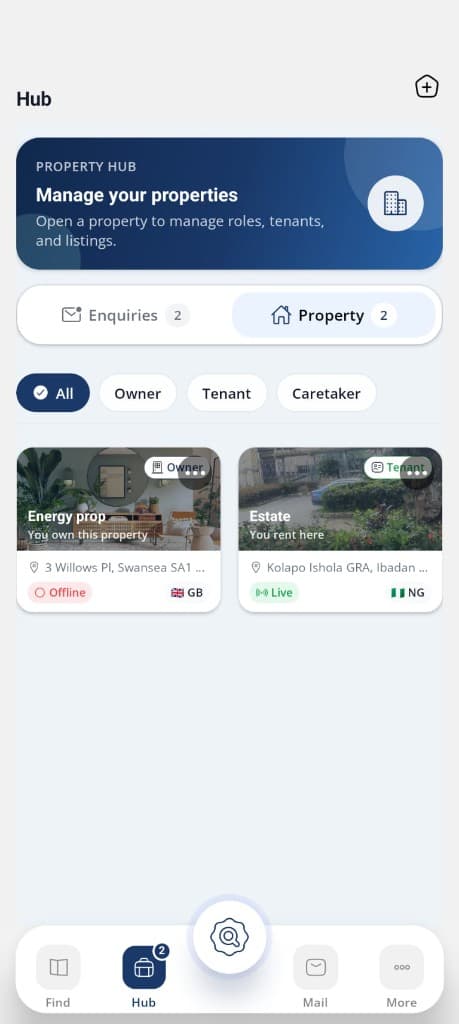
Tenants browse what’s nearby. Landlords get discovered by people actually looking. Caretakers keep every building moving. One app for the whole street.

Coming soonDownload on the App Store, coming soonComing soonGet it on Google Play, coming soon

Recently viewed · Explore listings · Live nearby
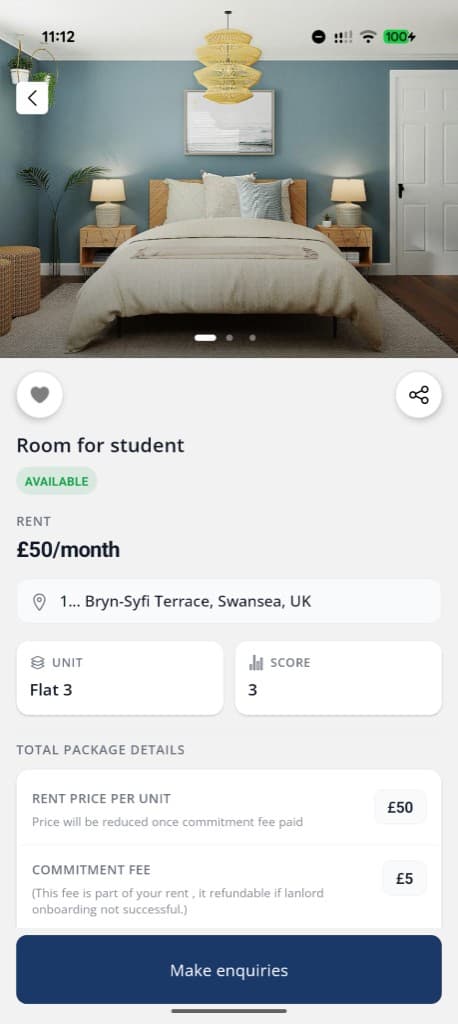
Discover spaces around you

Discover spaces around you

Browse nearby flats, pick up where you left off, and filter studios, rooms, and more as you move about town.

Switch roles to see how each person uses the app

The Xelfcon Standard

Built for how
each role moves.

Landlords run the hub, then sit back and watch every activity unfold. Tenants browse live listings. Caretakers message and onboard once a tenant commits. One network. Three clear paths.
Your property. Every move, visible. messaging
Your property. Every move, visible. property share

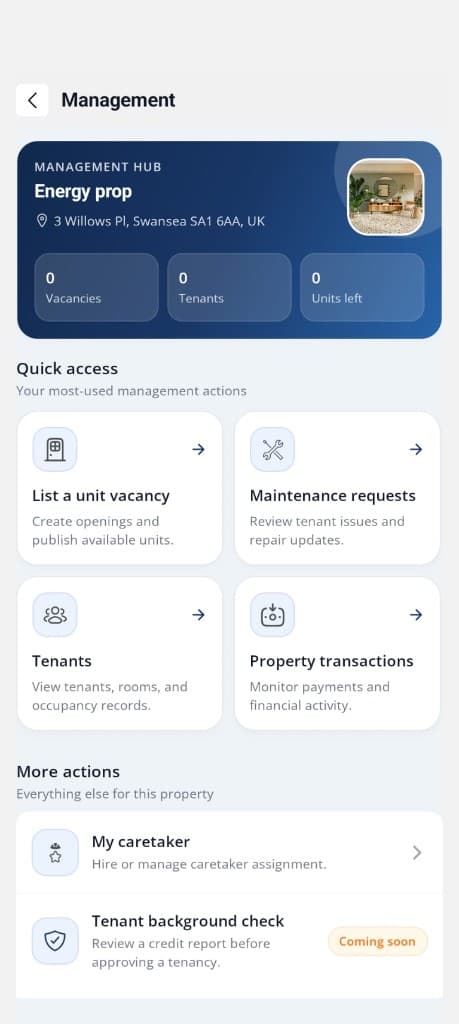
Management hub

Energy prop

Swansea, UK

2 Vacancies

4 Tenants

1 Unit left
For landlords

Your property. Every move, visible.

Open Management Hub and see vacancies, tenants, and units at a glance. List openings, chase repairs, check occupancy, and follow every payment without digging through notes. One property. One record. Activity that stays current.

See the listing. Make the move. messaging
See the listing. Make the move. property share

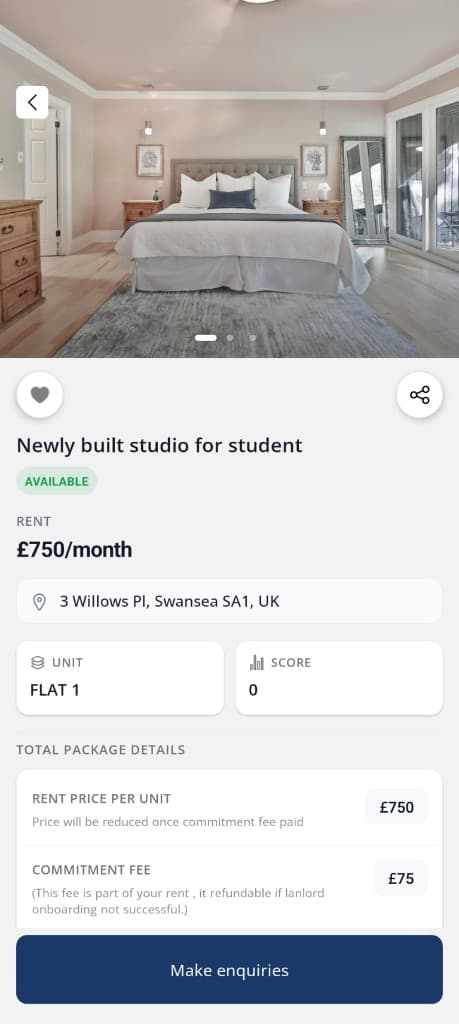
Commitment fee

£75

Part of your rent

Refundable if onboarding fails
For tenants

See the listing. Make the move.

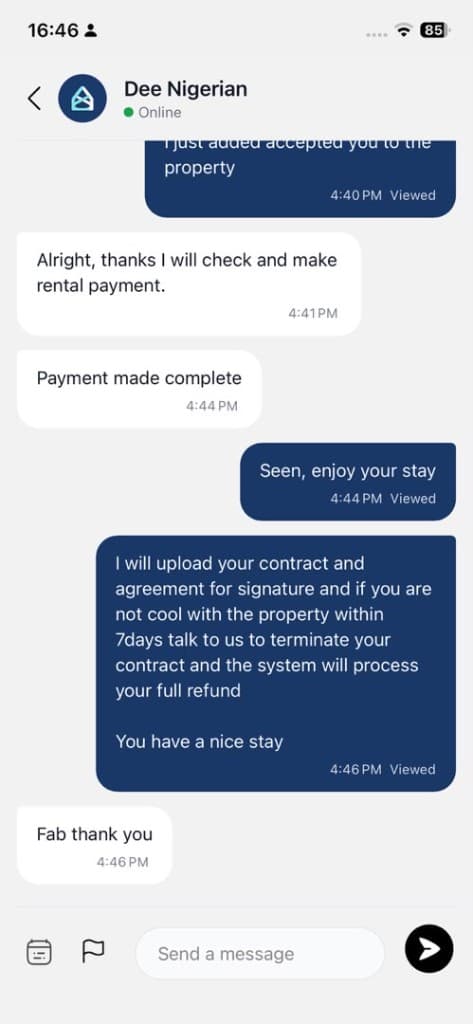
Open a vacancy, check rent and commitment fee, then make enquiries in one tap. Photos, package details, and live availability sit together so you know what you are walking into.

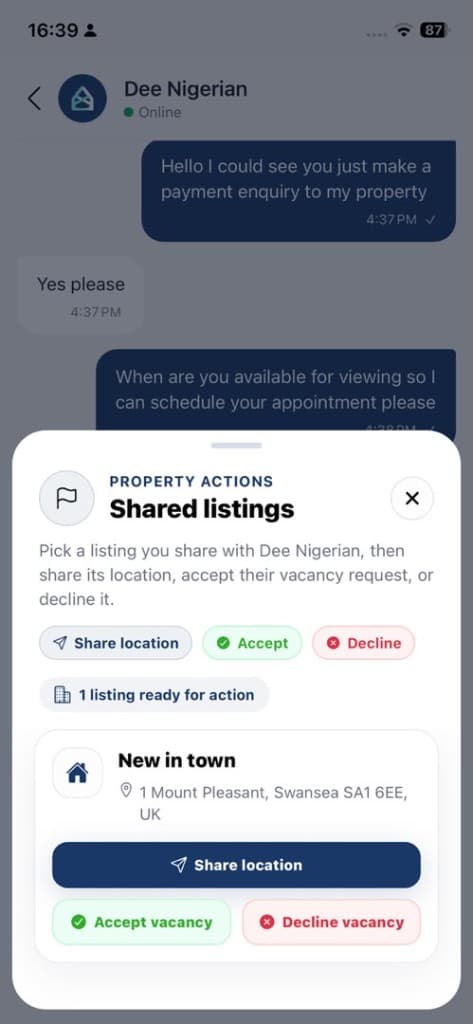
Chat when they commit. messaging
Chat when they commit. property share

Property actions

Shared listings

Share location

1 listing ready

For caretakers

Chat when they commit.

Landlord or caretaker can message once committed. Share the listing, drop the pin, accept the vacancy, and keep every reply in one thread. Payment confirmed, contract next, no chase across apps.

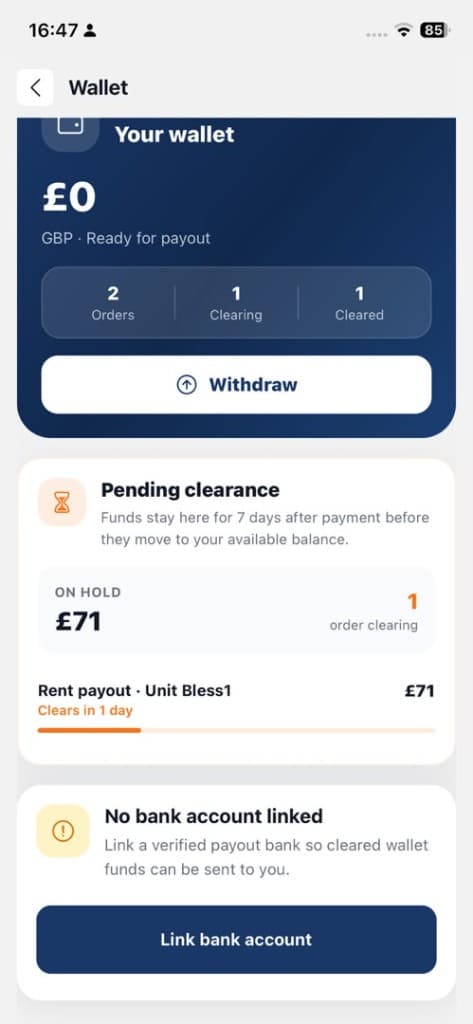
Payouts you control. messaging
Payouts you control. property share

On hold

£71

Clears in 1 day

Wallet

Payouts you control.

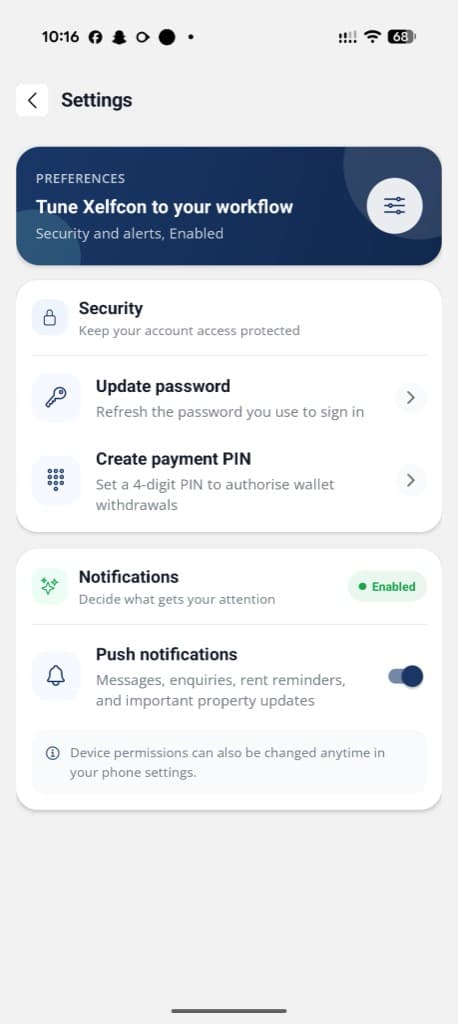
Track clearing funds, withdraw when ready, and link a verified bank. Tune security with a payment PIN, keep alerts on for rent and enquiries, and stay locked in without the guesswork.

Neighbours first

Homes shared,
standards kept.

Xelfcon is more than listings. It’s a verified circle of owners, renters, and caretakers sharing the same block, and the same standards.

  • Verified
  • Nearby
  • Shared routes
  • Calm trust
Coming soonDownload on the App Store, coming soonComing soonGet it on Google Play, coming soon

Be first to list, rent, or earn when you join.

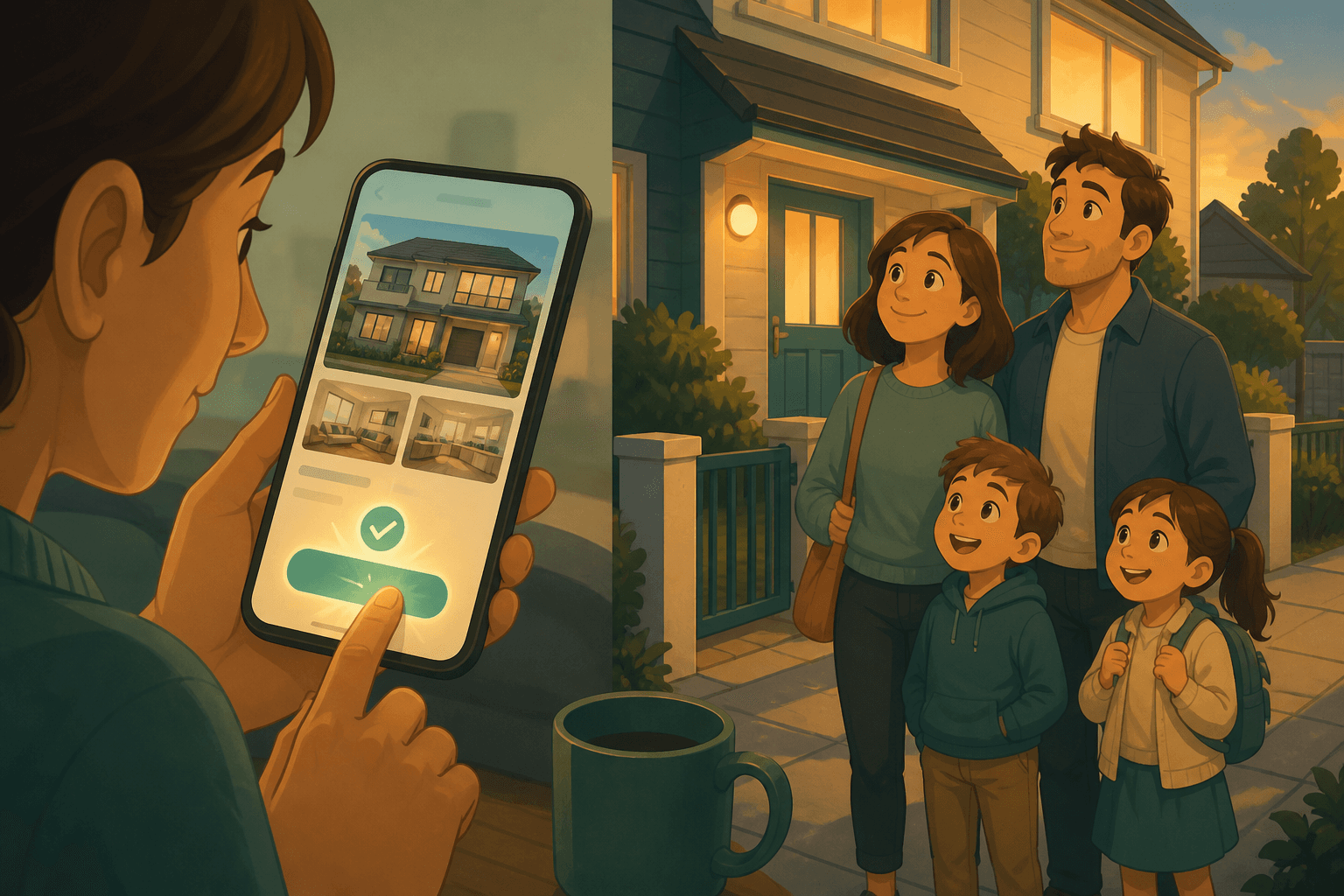
Off on holiday

Short story

Off on holiday

A family sets out together, bags packed, road ahead.

Inside the app

Everything you need in one place.

Listings, Hub, in app chat, viewing accept, shared listing actions, and wallet payouts, the real product, not a pitch deck.
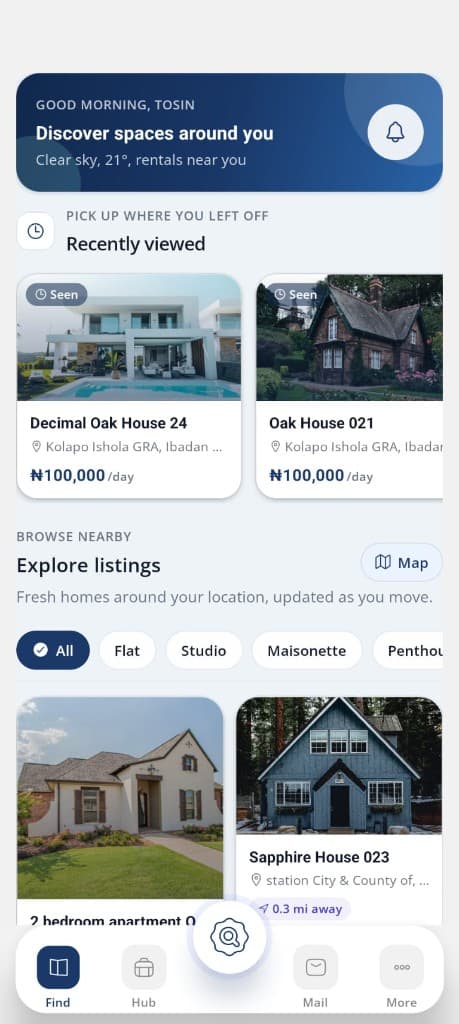
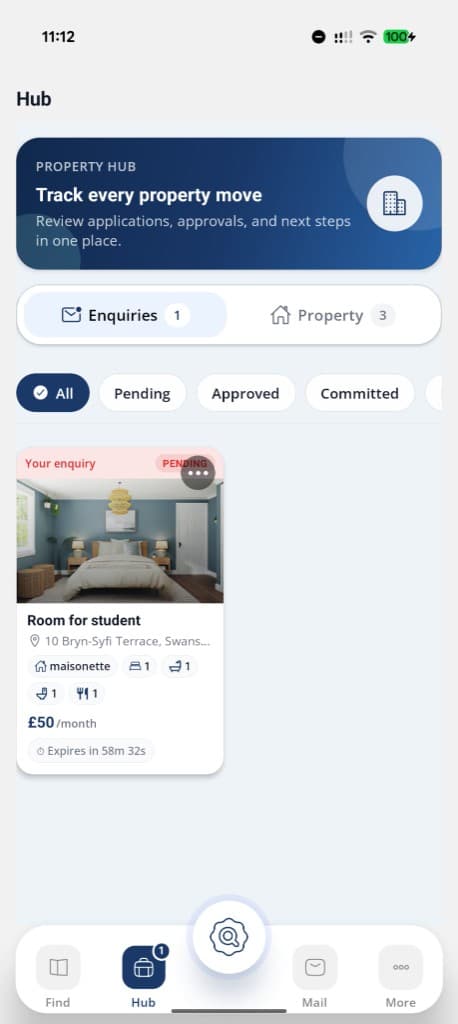
Discover spaces around you with recently viewed and explore listings

Discover spaces around you with recently viewed and explore listings

Support

Questions, answered.

Common questions about listing, renting, managing, or earning on Xelfcon across the UK.

Tap Create Account on the welcome screen and sign up with your email and password. We send a 6 digit verification code to your email. Enter it on the OTP screen to verify your account. After verification, complete your profile with your first name, last name, phone number, and country of residence. You can then sign in and start using the app.
Yes. Xelfcon uses email and password sign in. Enter your credentials on the login screen to access your account. After your first successful login, you may be prompted to enable Face ID or fingerprint login on supported devices for faster access next time.
On the login screen, tap Forgot password? and enter your registered email. We send a reset code to your inbox. Enter the code on the OTP screen, then set a new password. Once updated, sign in with your new password.
If you no longer have access to the email on your account, contact our support team so we can help verify your identity and recover access. Go to More → Support → Contact support, or email support@atobue.com with your full name and a valid means of identification.
A verified user has completed identity checks in the app. This is separate from creating an account or signing in. Go to More → Verification to submit your identification number, a government issued ID (passport, national ID, or driver's license), and a selfie. Once approved, you can create property workspaces and join the caretaker program.
Open More → Verification and follow the steps in order: 1. Save your identification number (based on your country of residence) 2. Choose a document type and upload or scan your ID 3. Take and upload a selfie for facial verification 4. Submit for review You can track pending, approved, or declined status on the same screen. If declined, follow the prompts to upload your documents again.
Identity verification helps keep rentals and payouts trustworthy. You must be verified before you can create a property workspace in Hub. If verification is still under review, workspace creation stays paused until your documents are approved.
Go to More → Payout bank account. Select your bank, enter your 10 digit account number, and confirm the resolved account name. Your payout bank is used for rental income and caretaker earnings. You can view or update it anytime from the Wallet screen.